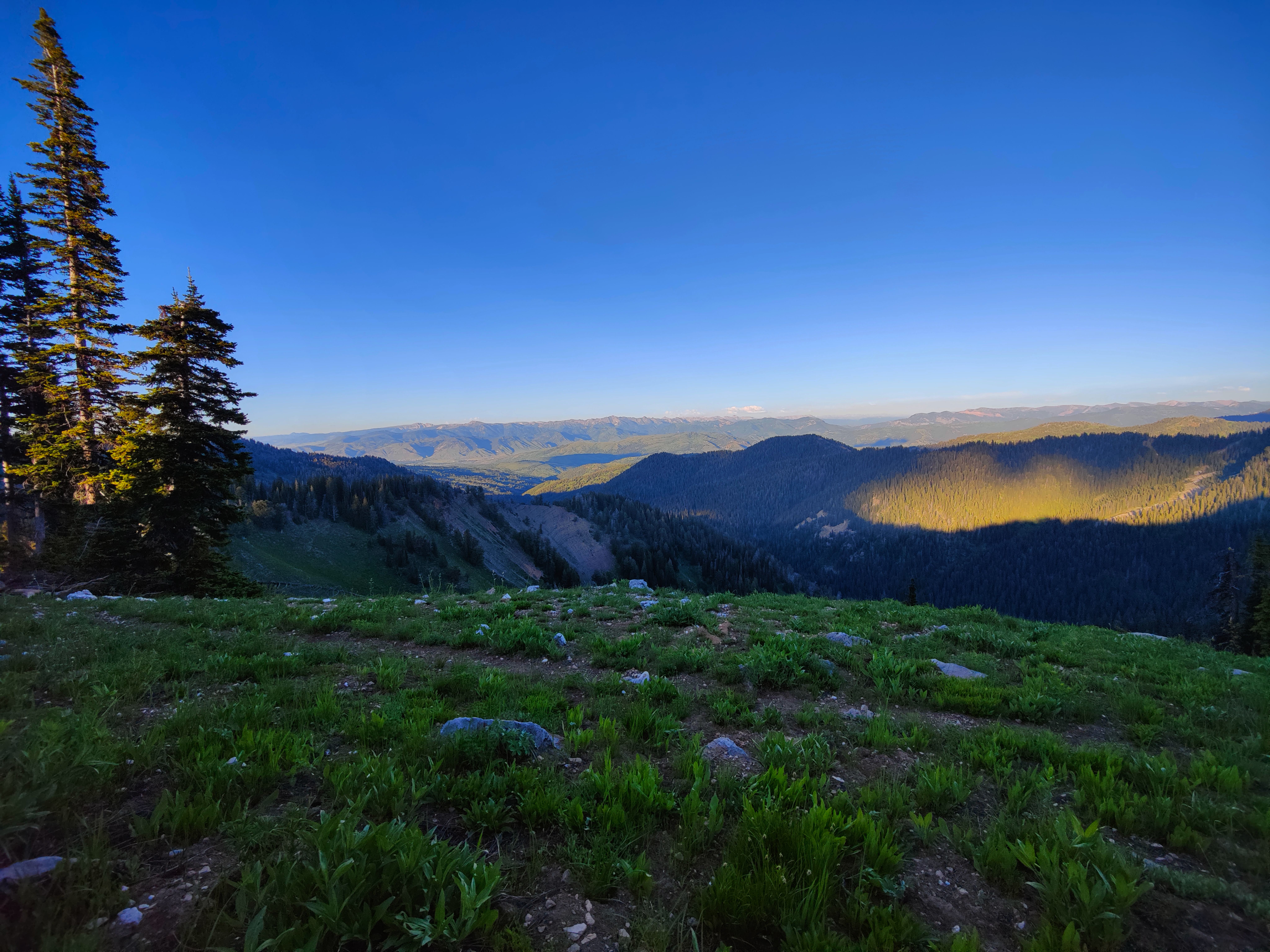
Occasionally we discover that some of the best places are hidden in our own back yards. In the mid-eighties, we had moved from government housing in Moose, Wyoming to our toe-hold in the valley some 30 miles south. The curse that accompanied this independence was commuting - and the two hours it sucked from life each day. We endured it until retirement, 20 years later. Raising a daughter and her ponies had also kept us busy - and away from the Riviera. Now we were eager to explore our back yard in earnest. It didn't take long to find the "Snakes" - modestly tucked away in the midst of its spectacular neighbors. Almost in the full embrace of its namesake river, they were surprisingly primitive and tempting. There were roads and trails but the central section of the range, extending for nearly 100 kilometers along the north-south divide of relatively modest 3000 meter peaks, was no backpacking magnet. Here a network of game trails was more useful than the ancient USGS quadrangles. Designated, but largely ignored as a wilderness study area, little if any development or maintenance took place, and the higher reaches were free from much of the mark of man. The water-carved softer rock of the Overthrust Belt had produced insanely steep and often barren slopes, unsuited to horses and dirt bikes, but perfect for wandering on foot. By midsummer, the higher reaches of the divide became dry, further discouraging the wannabe explorer. It was a perfect place to lose oneself.
Lack of human presence has not gone unnoticed by the "locals". Wildlife is plentiful and home to species seldom seen elsewhere. Cats and bears are widespread and wolverines leave their tracks among the mix. Here the four-legged find peace from the two-legged. It is lush summer range for ungulates. It is not uncommon to discover that you are the main subject of interest - watched, and sometimes, even followed. If you camp near water, you can anticipate some sort of company - with luck - perhaps an evening congregation of moose or elk.
The Three Days from Teton Pass to the mouth of Wolf Creek is a go-to 4th of July walk. There are wildflowers, snow-free paths, springs still running, and solitude. Starting from the pass at 8,400 ft. is cheating I suppose, but it is quality cheating. The northern start avoids the climb out of Wolk Creek/Dry Fork and a very long day over Observation Peak - a cumulative difference of 800 meters. All but two of my walks along it have been from the north, allowing days of equal length and an opportunity to camp on the divide at the head of the south fork of Fall Creek. Observation Peak is also more straightforward from the north.
 WesternLegacy
From the pass, follow the path to Mt. Elly and the head of Black Canyon. From this overlook, you can see south to Wolf, Indian and Observation peaks - most of where the next days will take you. Mosquito Creek with its legacy of clear-cuts is before you. Today's walk circles the head of the entire drainage, ending at a camp with water under the rounded bulk of Smokey Hollow Peak. The next 10 kilometers follows the Mosquito Creek-Trail Creek divide west. There are a few remnants of a once-maintained trail to follow along the way but the route mostly stays on or slightly west of the meandering crest, dropping down only once on the north to cross a meadow and a spring before regaining the divide for the last 2 km to its intersection with the Andy Harris/Divide Trail. At Mosquito Pass - your low point of the day - there is a spring 100 meters down Mosquito Creek but it is usually dry by early July. The trail ahead was once a sheep run and the signs are a reminder that this is "A Land of Many Uses" - and counting ... Once more on the divide, it is pleasant walking with great views for the next 8 km, mostly west of the crest, with an occasional early-season spring and a bog or two. Continue past the Starvation Peak trail junction and once at the Mud Pass junction, hang a right for 50 m then descend the improbable-looking hill rather than continuing along the marked trail. Follow the small gully to its bottom and hop the stream at the animal crossing. Contour south for 200 mt to water. There is a hunt camp up the drainage under the peak and a nice meadow above the grove of trees just ahead.
 Pretty Yellow Flowers
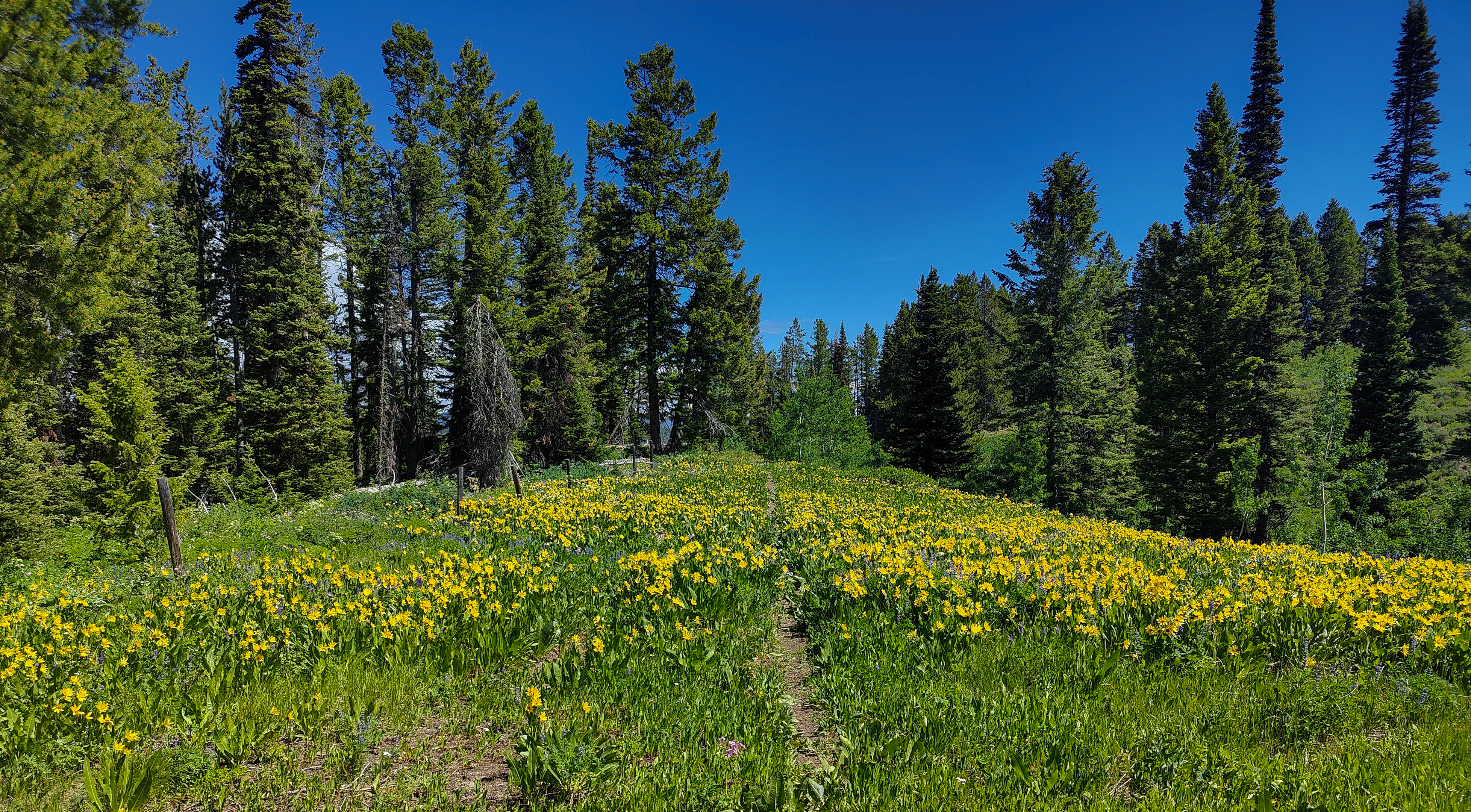
Today only gets better Descend along the watercourse then climb the slope due north to regain the divide trail. The trail traverses large meadows and through some old-growth forest, eventually morphing into a two-track that leads to the head of Big Elk Creek. At the right time of year these clear-cuts are covered with balsam root, mules ear and lupine. Here, the Cottonwood road intersects the divide from the Hole and is popular with MTBs and dirt bikers. The idea now is to regain the divide south of this drainage. Follow logging roads south and around the flank of Pt. 7729 into more clear-cuts. You can follow the road south which becomes a trail that loops around these meadows, or cut approximately SSW across them. In either case, continue southwest on the trail and down into the last large meadow that marks the head of the N. fork of Fall Creek and water (varying distance) downstream. The trail now climbs about 500 meters to regain the divide. This section through heavy old-growth forest was once grim bushwacking, but has received considerable attention in recent years. The trail now follows the crest overlooking Fall Creek for 12 km , first above the faces of the N. fork to Pt. 9216 with its great view, then southwest along the upper slopes of the S. Fork, finally intersecting the divide at 9,200 ft. just above North Indian Creek Pass. A sublime fair weather campsite (2900 m) can be found by following the series of outcroppings along the divide to the meadows just a kilometer further south.
The map of this area is outdated. The section of the divide trail across the head of Coburn Creek is particularly vague and misleading, and has become obscured in recent years. Considerable elevation must be forfeited to avoid the steep gullies flanking Observation Peak. The alternative route follows the well-defined trail south along the divide for about 2 km then makes a descending traverse into the cirque below the north slopes of Observation Peak. From here, the convolutions of the divide - and Coburn Creek trails lie below. If the snowpack allows, and you are comfortable on 35º to 40º slopes, it is easier to just go over the peak than around it. It is a steep but straightforward ascent along the slopes to the east of the main north-facing gully. The ridge to its west appears easy, but it is loose, and no less steep, and has a small vertical step. Observation Peak is the second-highest in the Snakes, 100 meters lower than the less-handsome Mt. Baird, visible to the north, but from the summit, it is clear why it is so aptly named: The view is fantastic in all directions and the elevation sufficient to see as far east as the Winds and north to Borah Peak, Idaho's highest. The descent follows the ridgecrest east. Once the path levels, watch for an unmarked trail to the right dropping gently through meadows. This path is a well used connector to the Lake Basin Trail below. Stay on this main path, climbing past the Dog Creek junction and under the west side of Indian Peak to the head of Wolf Creek. Here, it is decision time...
To descend Wolf Creek; 1: follow indistict switchbacks to the bottom of the headwall then keep due east and descend through meadows to 8400 ft. Here the trails from above converge and follow the slopes well above the north side of the creek for about 2.5 km before diving back down to the creek. It then traverses slopes above it for another kilometer to the Red Pass trail junction. Where the trails converge at 8400', there is also a pleasant forest path above the south side of the creek. 2: Follow the Dry Fork descent (below) to the large open saddle, then descend north through more meadows to the creek. From the Red Pass trail junction, the path down the main drainage first climbs a small bench before making a precipitous drop to the creek and crossing it 8 times along the way. There are several sections of heavily damaged trail and your nose will probably keep you on-track as well as the map.
To descend Dry Fork, keep to the divide for the next kilometer then turn east at the Red Peak junction below Pt. 9708. Continue along the crest for another kilometer to where it steepens. The map shows the trail here descending directly down the ridge for 100 meters to a small bench. This is easier to climb than descend. You can also continue down the slope to the saddle, drop right into the bowl then traverse back to the bench. From here, the path descends for a bit before making a descending traverse of about 50 meters west (right) across a small gully and into a large meadow. After another 75 meters of level walking, drop down the slope and meander to the bench above the creek. Pay attention here - this descent is the only easy way to the canyon bottom, and it is tempting to continue west across the meadow. To reach the canyon bottom, countour left above the final, insanely steep slope before dropping straight to the creek. The designated trail ducks in and out through tangles of mountain ash and willows before reaching open meadows. Animals seem to prefer crossing the creek here and wandering up a 100 meters or so to the head of a large meadow. Descend this and cross the creek just above the ravine at about 7800 ft. to regain the trail. Keep to the bench above more tempting meadows for about 2 km - then descend to a bottleneck and cross the short dicey section of trail above the ravine - a passage now complicated with a huge fallen tree. The last 3 km to Wolf Creek is straightforward, staying west of the willows. Later in the season, it can be obscured by head-high forbs and super-sized nettles. Here, wildlife activity often reveals the best path. Some maps show a 0.2 mi. path keeping to the west side of Wolf Creek that avoids the two creek crossings along the last mile, but it is faster (and easier) to wade the creek.